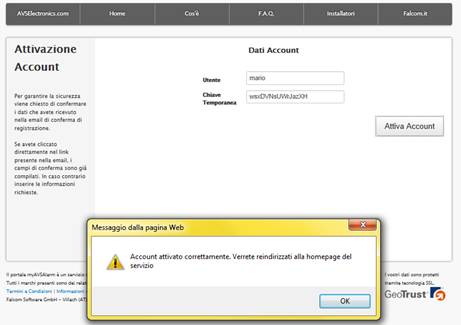
Procedure to register on website myAVSAlarm
To use the myAVSalarm services is necessary to register.Follow this registration proceddure.
Open Internet Browser program (Internet Explorer, Google Chrome, Mozilla Firefox)and type in the address bar: http://www.myavsalarm.com
Into the page select link “Create an AVS Account” as see in the next image:
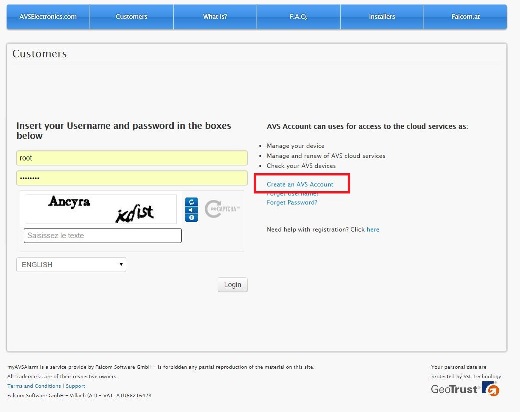
You will be
redirected to the page that lets you enter your data. The data in
bold (Name, Country) are required. In order to continue
you still need to accept the terms of service and type
properly control codes Recaptcha
at the end of page. Codes must be write separated by blank space.
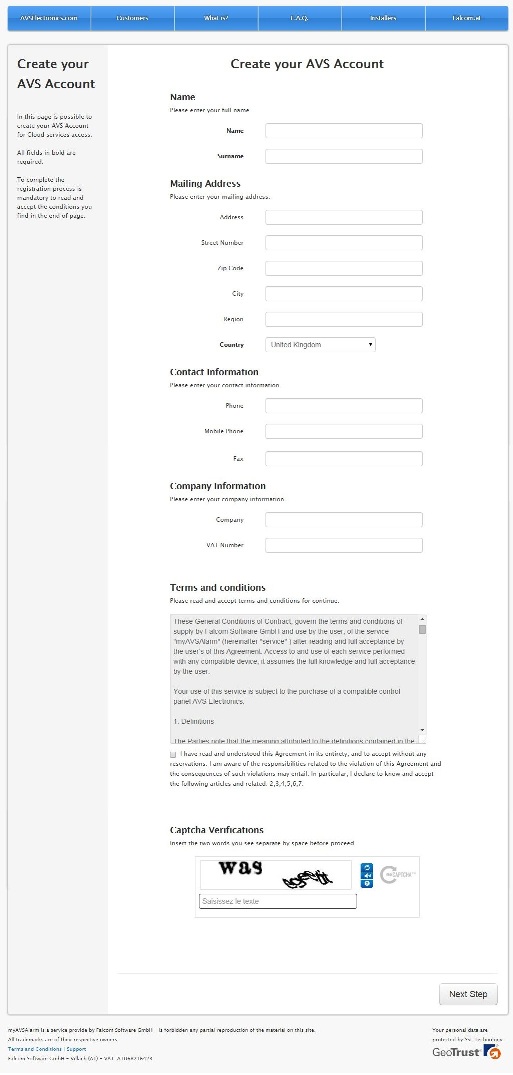
If all
necessary information has been entered click on the button “Next Step” to proceed to the choice of the data
account and requests for the recovery of the same in the case of
loss.
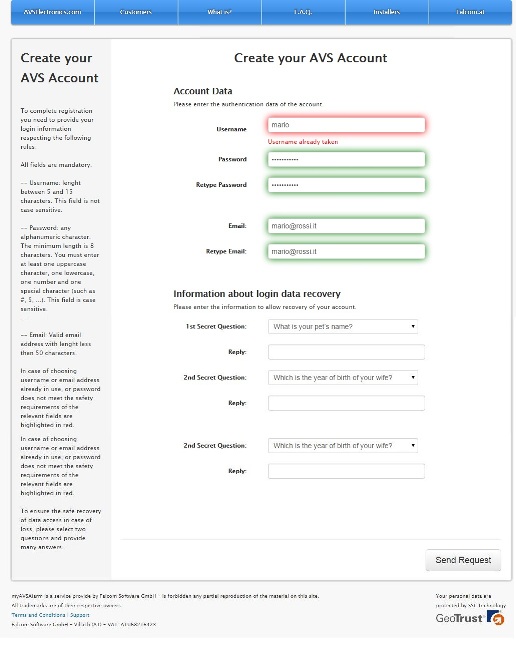
In order to
to complete the registration it is necessary that the data entered
comply with the following rules:
§ The username must be at least 5
Characters. It also must not already be present in the system.If the username is already in use the box will be colored in red and you will have to choose another one. If the
verification is successful, the box will be colored green.
§ The password must be at least 8 characters, including at least one case, at least one number and at least one
special character (!, $,…). If they are not complied with these constraints the box
will be colored red, otherwise in green.
§ Email address
must not already be registered in the portal. Even in this case, if you enter an existing emailthe system will notify you by coloring the box
in red.
Pressing on
button "Send Request" the system will register, and you will see a
confirmation message.
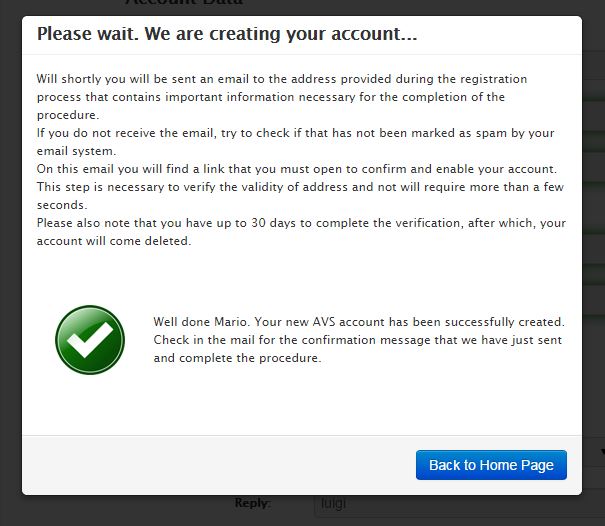
Now there
just have to activate the account you just created. To do this you must go to
check your mailbox and to identify the
welcome message you received.
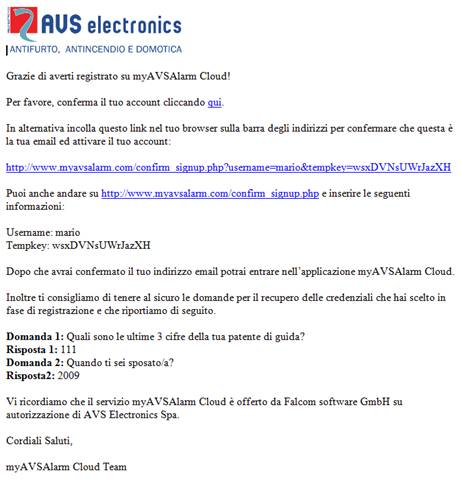
Clicking
the link in the email you will be redirected in
a page with the data pre-compiled. It 'just press the button "Activate
Account.
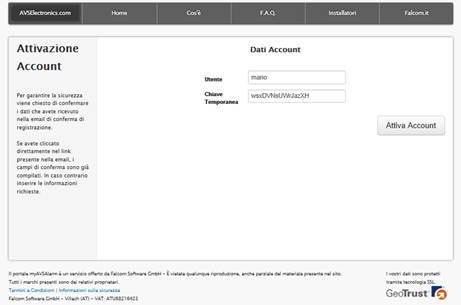
a message
will appear on the confirmation page and you will be redirect
to the login page. From this time by entering your credentials you
access the services of myAVSAlarm.